
For plumbers, electricians, roofers and cleaners
Quotes your customers accept by text
Write the quote on site, send it as a text, and turn the yes into a booked job and an invoice.
Quote
Write it on site
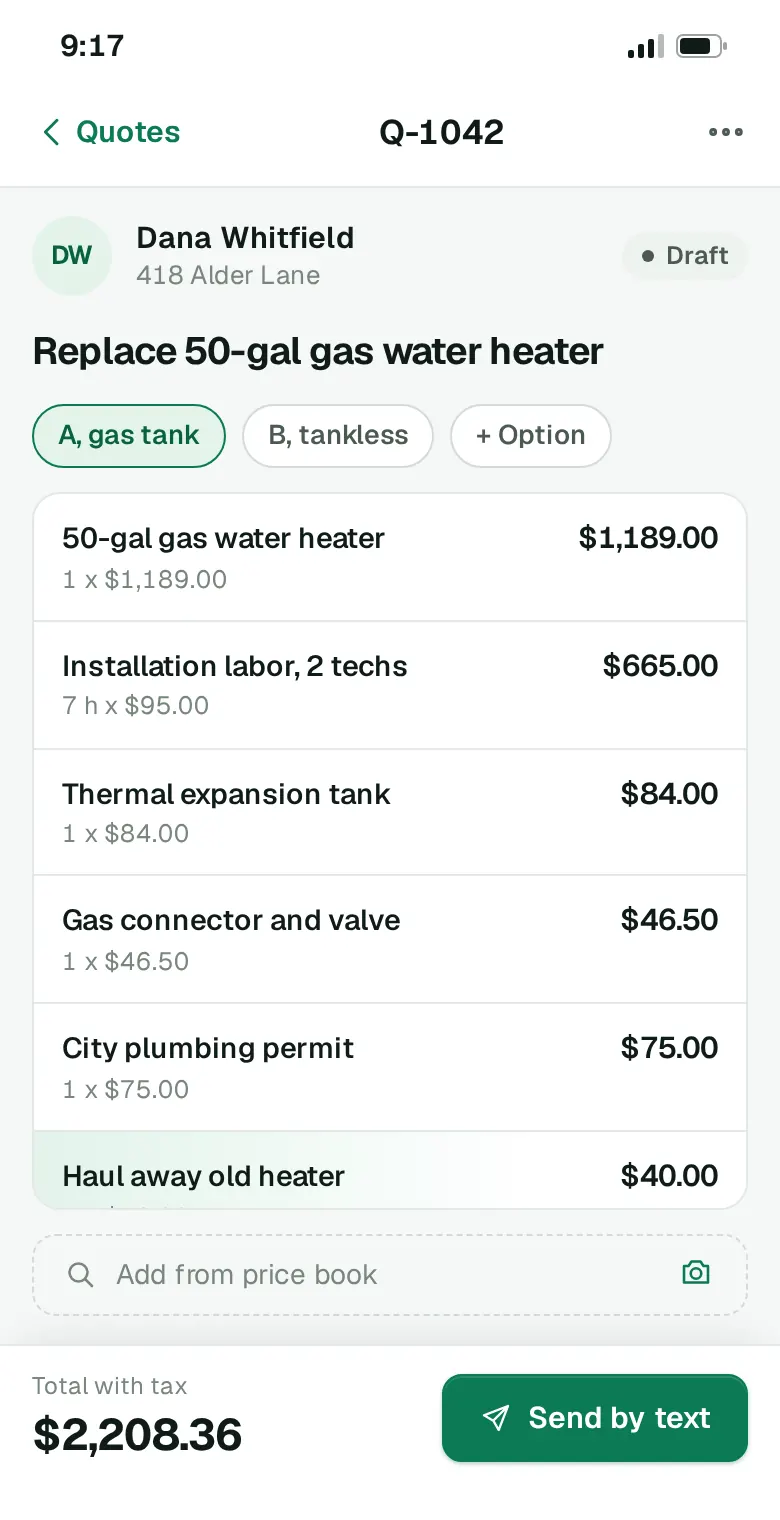
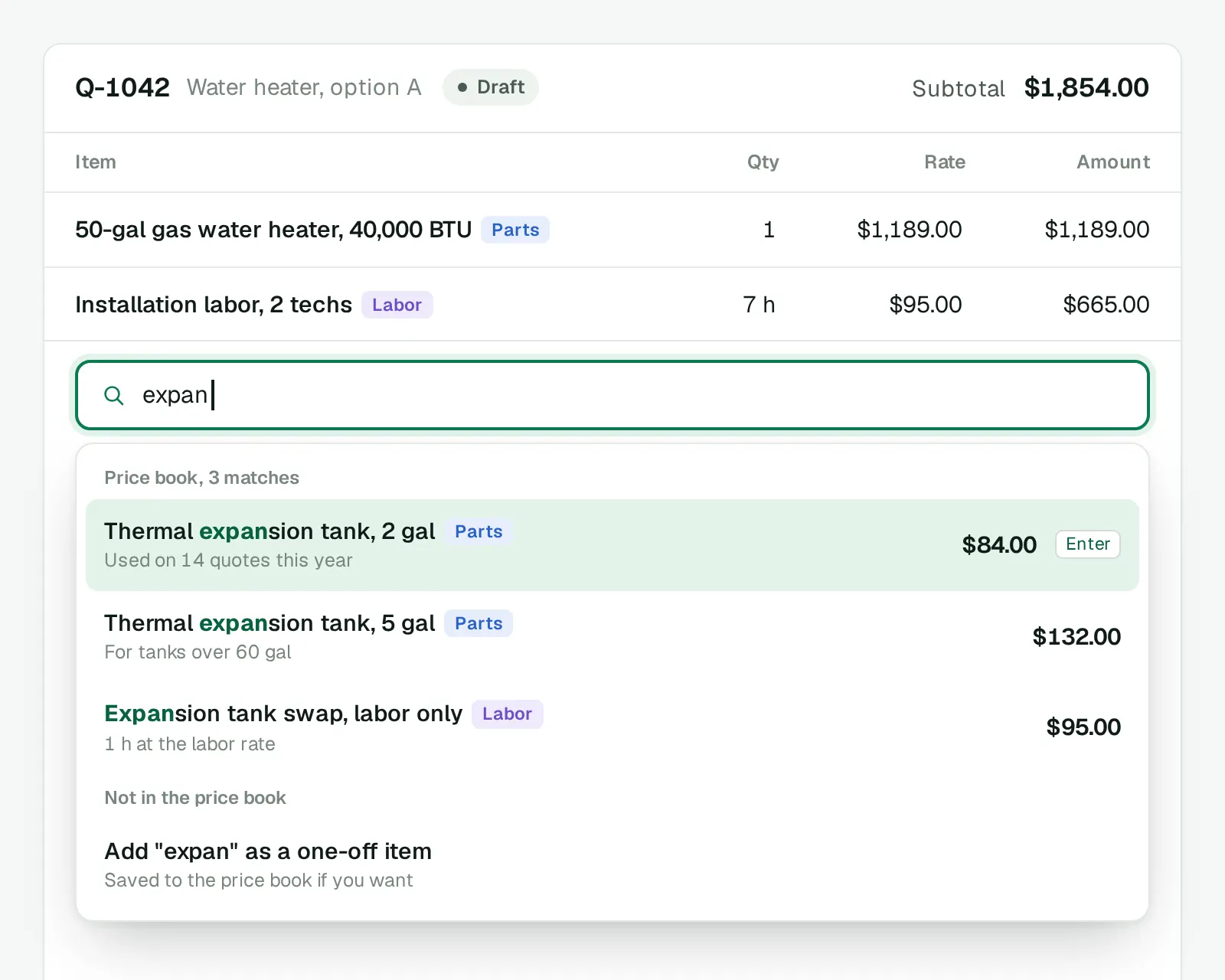
Pick items from your price book while you stand in front of the job. The total updates with every line you add.
- Your prices, saved once. Parts, labor rates and fees, searchable as you type.
- Options on one quote. Tank or tankless, repair or replace: the customer picks one.
- Photos of the job. Attach what you saw, so the customer sees it too.
- No signal needed. Write the quote in a basement; it sends when the phone is back online.
Accept
Accepted by text
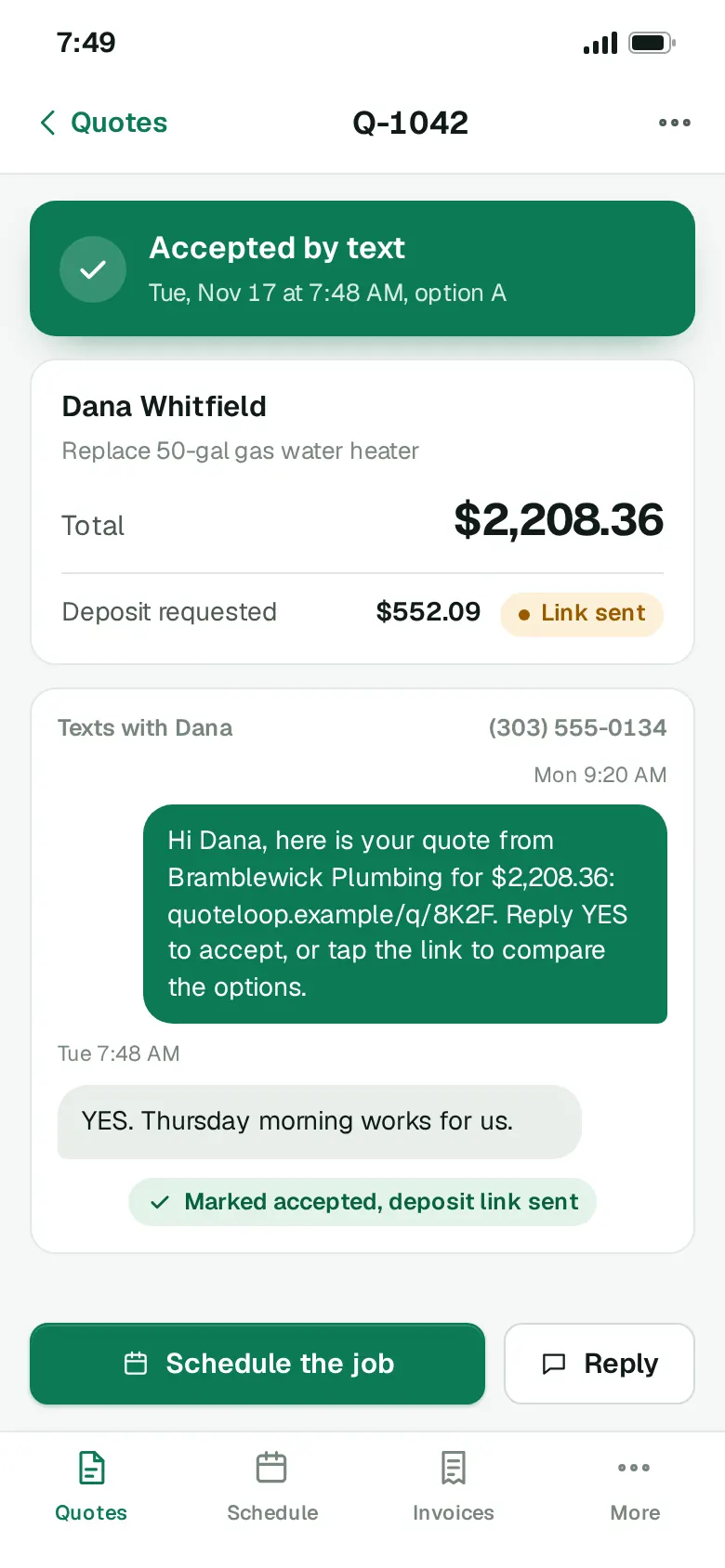
Your customer gets a text with the total and a link. A reply of YES marks the quote accepted, with the time on it.
- Nothing to install. No app and no account for your customer.
- Deposit on the yes. The card link goes out the moment they accept.
- A nudge if it goes quiet. One reminder text when a quote gets no reply.
Booked from the yes
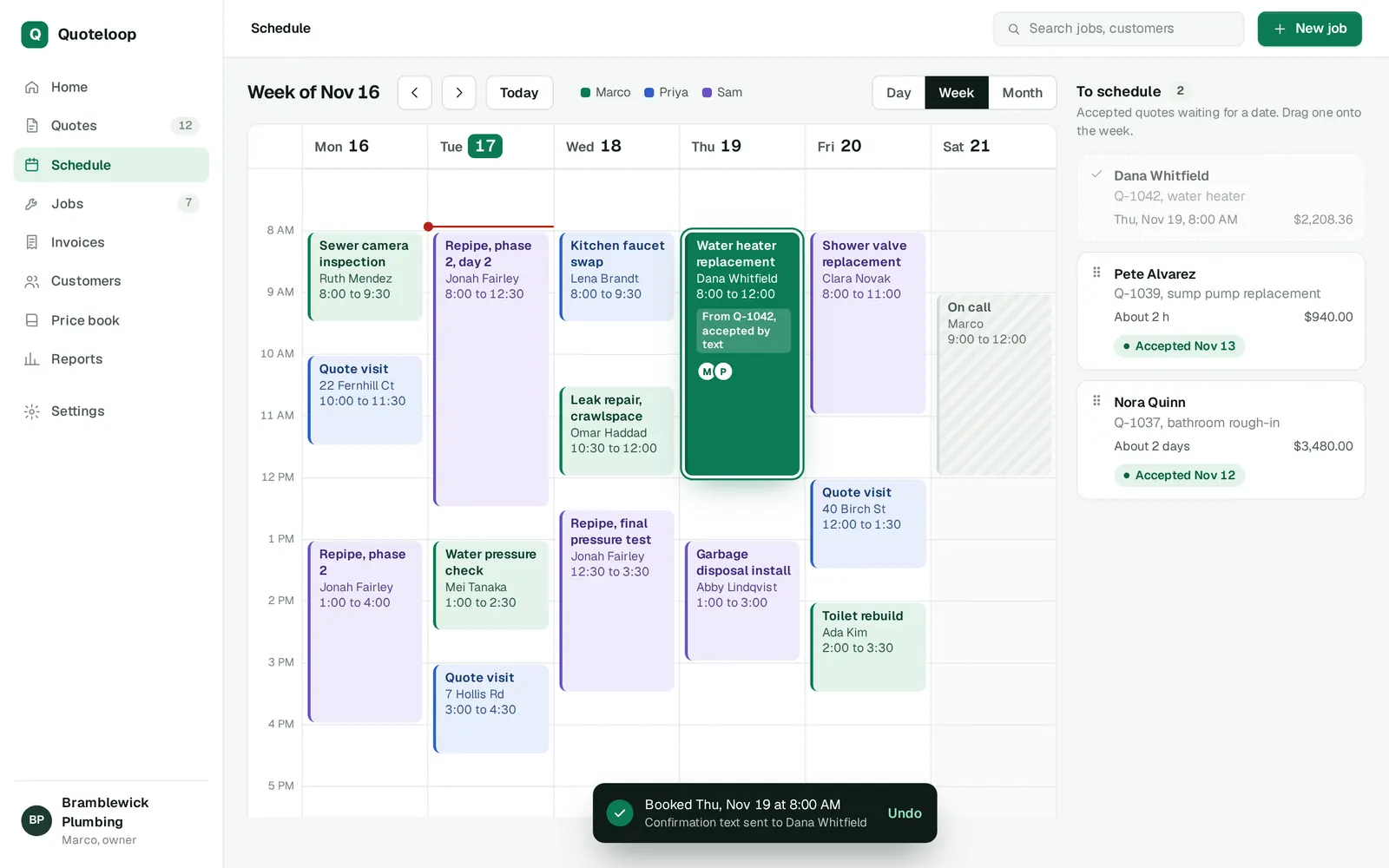
Accepted quotes wait in a tray beside the week. Drag one onto a day, pick the crew, and the customer gets a confirmation text.
Get paid
Know who owes you
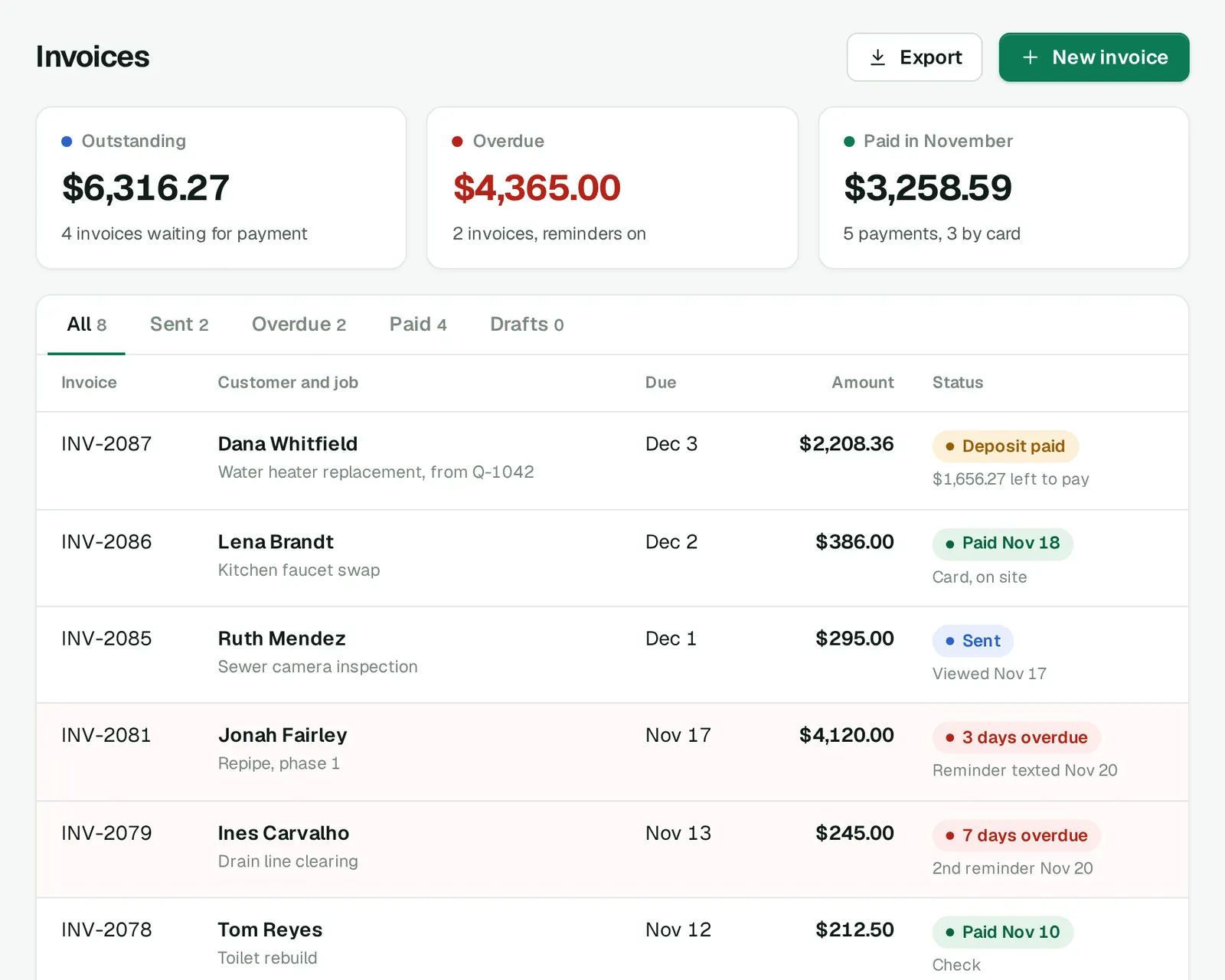
Turn a finished job into an invoice in one tap, with the deposit already taken off the balance.
- Overdue in red. Days late counted for you, on one list.
- Reminders by text. They stop as soon as the invoice is paid.
- Pay from the link. Customers pay by card from the text they already have.
- Ready for your accountant. Export invoices and payments as a spreadsheet.
How a quote becomes a job
One quote from the driveway to the invoice, as it runs in the app.
- Quote at the jobPrice book items, photos and options, with the total updating line by line.
- Send it by textThe customer gets the total and a link, and can answer with one word.
- Book the workThe accepted quote waits in the schedule tray until you drop it on a day.
- Invoice and get paidOne tap when the work is done, deposit deducted, reminders until it is paid.
- 50-gal gas water heater$1,189.00
- Labor, 2 techs, 7 h at $95.00$665.00
- Thermal expansion tank$84.00
- Gas connector and shutoff valve$46.50
- City plumbing permit$75.00
- Haul away old heater$40.00
- Tax on parts$108.86
Your quote from Bramblewick Plumbing: $2,208.36. Reply YES to accept.
YES. Thursday morning works for us.
Accepted by text, booked for Thursday at 8:00 AM
Made for trade crews
Owners who quote from the truck, with one to a few crews in the field. Each trade quotes differently; the app keeps up.
- PlumbersWater heaters, repipes and drain work, with parts, labor and the permit on one quote.Tank or tankless as two options
- ElectriciansPanel upgrades and charger circuits, with the permit and inspection listed as their own lines.Deposit before you order the panel
- RoofersMeasured squares, tear-off and materials, with good, better and best side by side.The homeowner picks one with a tap
- CleanersA quote for a weekly or monthly visit that becomes a repeating slot once accepted.One yes books the whole series
Priced by crew size
Every plan starts with a 14-day free trial. No card needed to start the trial.
-
Solo
$29per month
Everything to quote, book the job and get paid.
-
CrewRecommended
$59per month
Adds a calendar per tech, job assignment and time tracking.
-
Company
$119per month
Adds approvals, job costing and several price books.
Compare the plans line by line, with the billing terms and yearly prices.
Common questions
Do my customers need to download anything?
No. They get a text with a link to the quote. They can reply YES to accept, or open the link to compare the options and accept with a tap.
Can I bring my own price list?
Yes. Import your parts and labor rates from a spreadsheet into the price book, or save an item the first time you quote it. Every price stays editable on each quote.
What if there is no signal on the job?
Write the whole quote offline. It is saved on the phone and goes out on its own as soon as the phone is back on a network.
What happens to my data if I stop?
Export your quotes, invoices and customer list as spreadsheets at any time, before or after you leave. Cancel from Settings at any time. Your plan stays active until the end of the period you paid for.
Who answers when I need help?
Write to hello@quoteloop.example: the team answers within one business day, Monday to Friday, 7 am to 6 pm Mountain Time. Crew and Company plans also get phone support from inside the app.
Send your next quote by text
Pick a plan, add the prices you charge and send a quote from the next driveway you park in.
- Pick a planEvery plan starts with a free trial, and you can switch plans later.
- Add your pricesImport your price list from a spreadsheet, or save items as you quote.
- Send a quoteWrite it at the next job and send it by text before you leave.